Track your subscriptionsControl your money

Stay ahead of recurring payments, cut unnecessary spending, and understand exactly where your money goes.

Simple to use. Private by design.
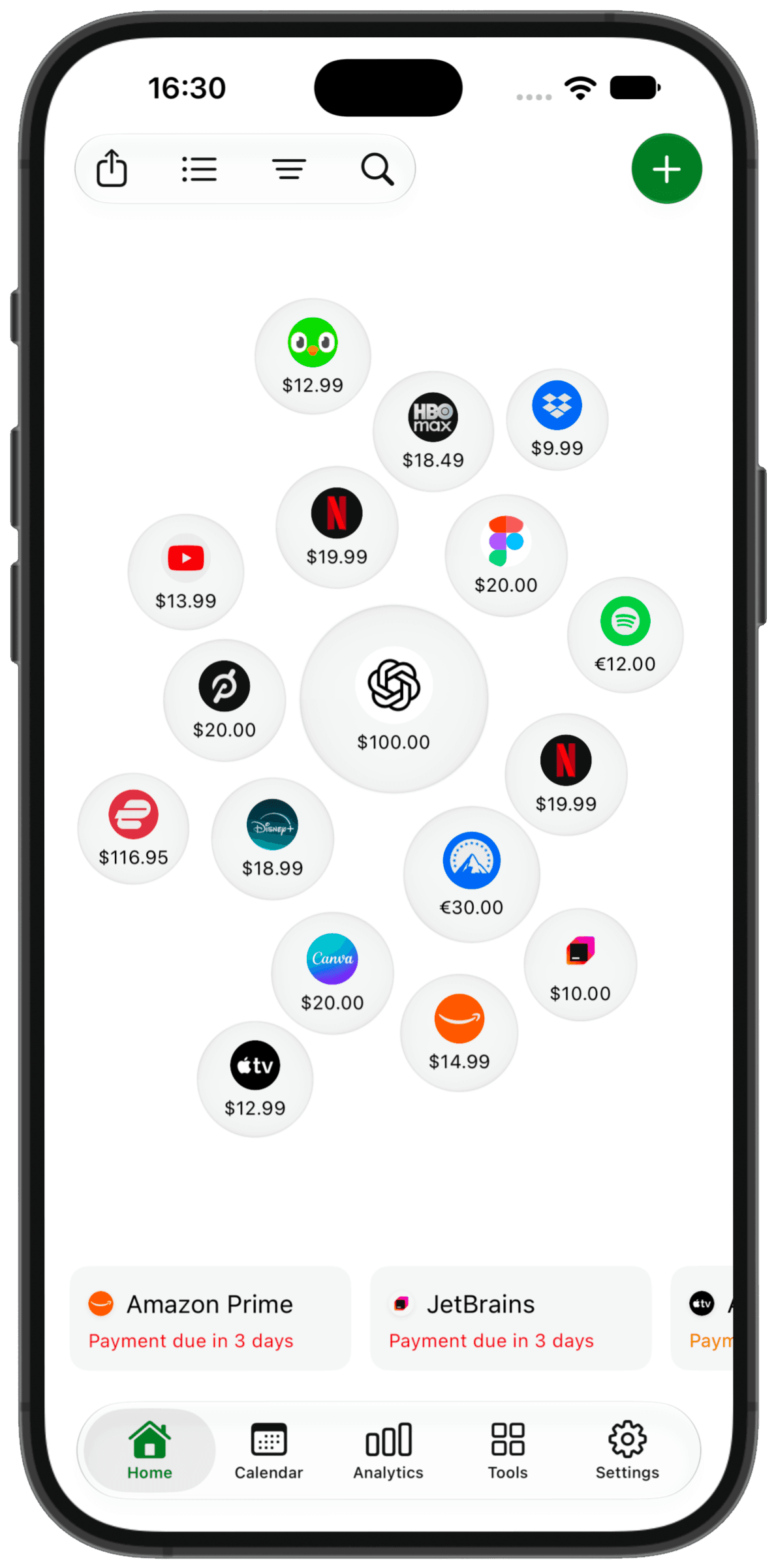
SubIQ app showing subscriptions, prices, and upcoming payment reminders

SubIQ features

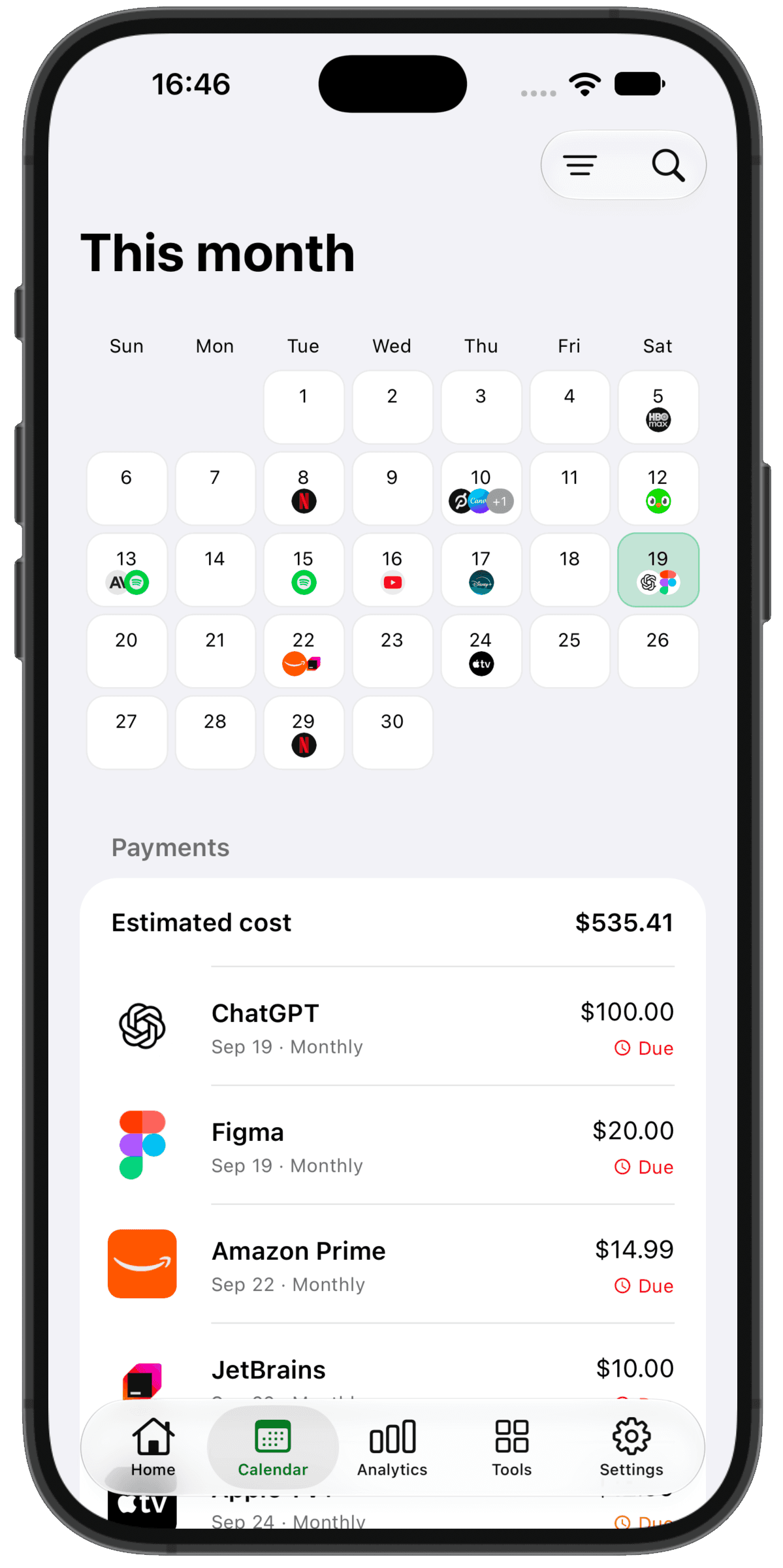
SubIQ calendar showing upcoming subscription payments and estimated monthly costs

Know what's charging you next

See every upcoming subscription in one calendar and know how much is leaving your account this month—before the charges arrive.

  • Spot expensive renewal days early
  • See paid and upcoming charges at a glance
  • Understand your total subscription cost for the month

Download SubIQ

Choose your platform to download the app

Download SubIQ on the App StoreGet SubIQ on Google Play

Or scan the QR code to download:

QR code linking to the SubIQ smart download page
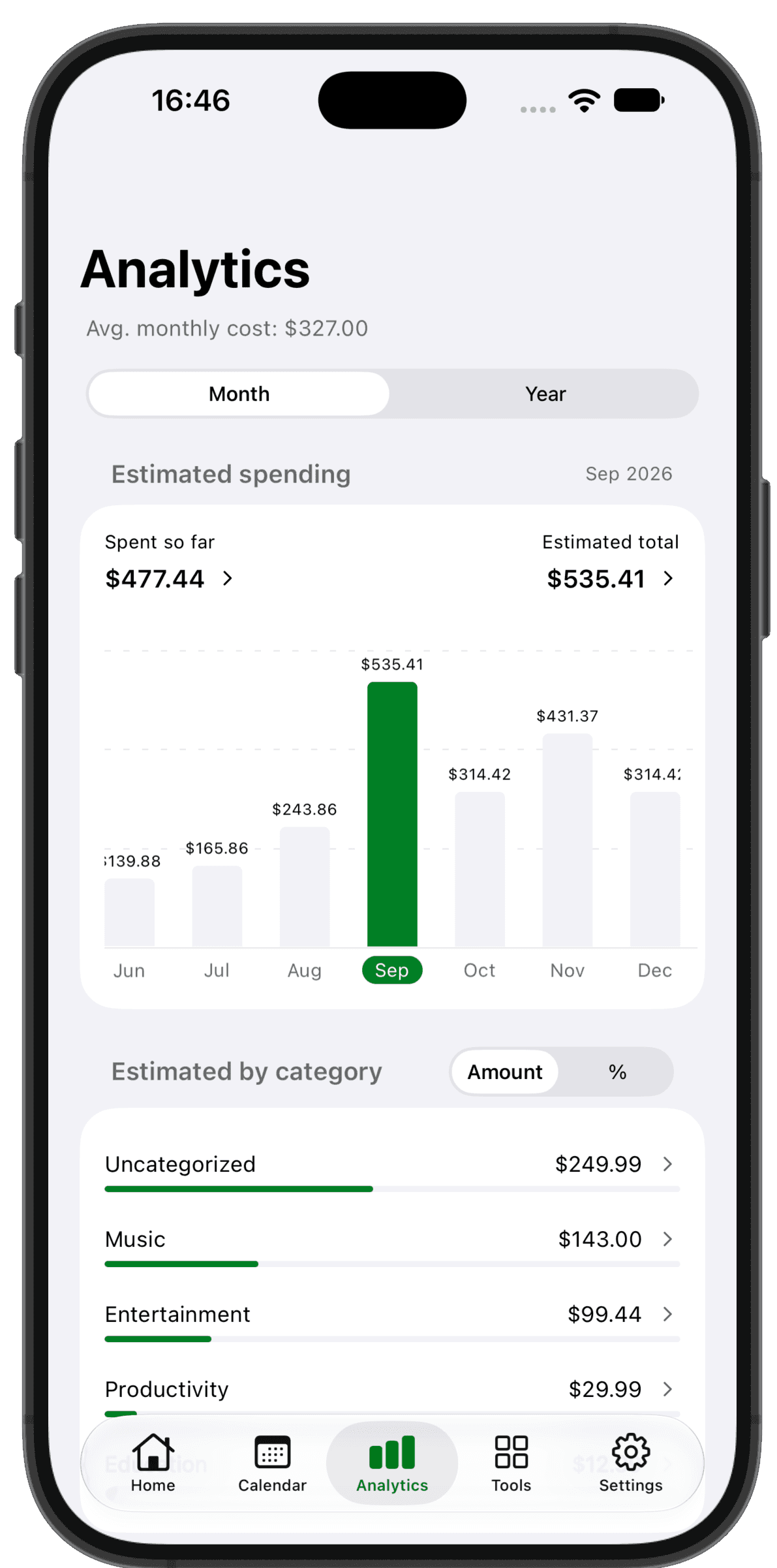
SubIQ analytics showing subscription spending trends and category breakdowns

Find what's driving up your subscription bill

See what you've already paid, what's still coming, and your estimated total for the month or year—then uncover exactly where the money is going.

  • Compare spent so far with your estimated total
  • See which months are getting more expensive
  • Find the categories and subscriptions costing you most

Download SubIQ

Choose your platform to download the app

Download SubIQ on the App StoreGet SubIQ on Google Play

Or scan the QR code to download:

QR code linking to the SubIQ smart download page
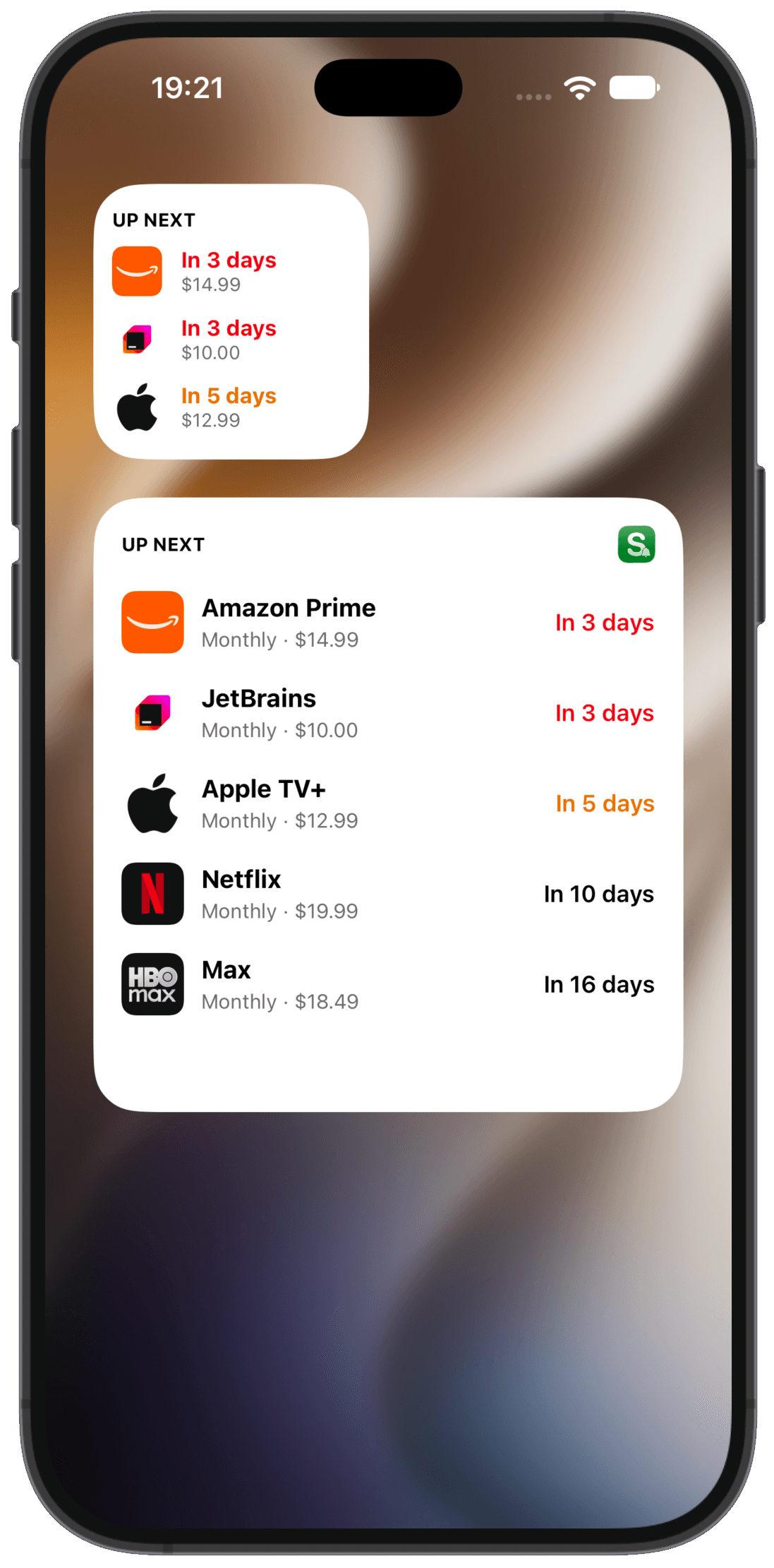
SubIQ Home Screen widgets showing upcoming subscription charges, prices, and days until renewal

See what's charging next without opening the app

Keep upcoming subscription charges, prices, and renewal countdowns on your Home Screen—so the next bill is never out of sight.

  • Check your next renewals at a glance
  • See exact prices and days remaining
  • Choose a compact or detailed widget view

Download SubIQ

Choose your platform to download the app

Download SubIQ on the App StoreGet SubIQ on Google Play

Or scan the QR code to download:

QR code linking to the SubIQ smart download page

More ways to stay ahead of every charge

Find recurring payments faster, decide what is still worth paying for, and know what to do when it is time to cancel.

What people say about SubIQ

Reviews from the App Store and Google Play.

Frequently asked questions

Quick answers before you download.

Is SubIQ free to use?

Yes. The free version lets you track up to two subscriptions. Premium lets you track as many as you need and unlocks features such as smart imports, reminders, spending reports, cancellation help, and refund guidance.

Is my financial data secure?

SubIQ does not connect to your bank or ask for bank login details. Files and images you choose to scan are processed to find subscriptions, then the originals are discarded. You review every result before anything is saved.

Can SubIQ access my bank account?

No. SubIQ never asks for your bank username or password. It only sees a bank statement when you choose a PDF or CSV file for it to scan.

Do I need to create an account?

You can begin using SubIQ without setting up a separate email and password. Sign in with Apple or Google when you want your saved subscriptions available across devices.

Does SubIQ support different currencies?

Yes. Save each subscription in the currency you actually pay. Choose one currency for combined totals, and SubIQ will convert the subscriptions before adding them together.

Can I sync my subscriptions across devices?

Yes. Sign in with Apple or Google, then use the same SubIQ account on your other devices. Your saved subscriptions will sync automatically.

See all questions

Everything is becoming a subscription

Keep track before the costs add up. See every renewal, reminder, and monthly total in one place.